
🌐 Smarter Restaurant Operations with Online Menus
An online menu is more than a digital replacement for paper menus.
It is a powerful tool that enhances operational efficiency and elevates the customer experience — the new standard for modern dining.
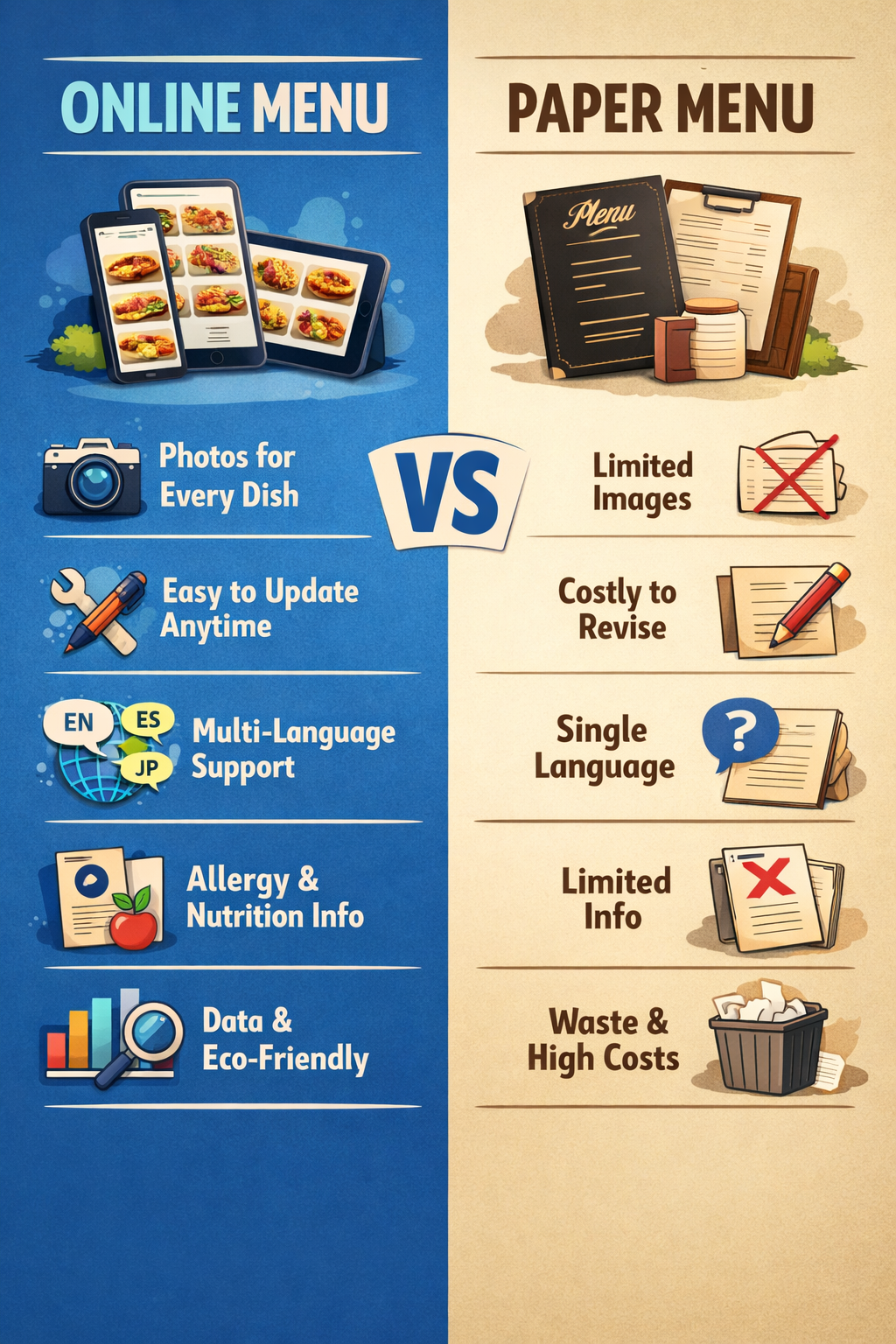
With an online menu, you can display high‑quality photos for every dish and update, add, or remove items instantly without any hassle. When you modify your POS menu, the changes are automatically reflected in online orders and QR orders in real time, eliminating the need for manual updates.
You also save on recurring costs such as menu covers and printing, while reducing the time and effort required for menu revisions by more than 90%.
Beyond these benefits, online menus offer features that traditional paper menus simply cannot match:
- Real‑time price and menu adjustments to respond quickly to ingredient costs or seasonal items
- Multi‑language support for international customers
- Detailed allergen and nutrition information to build customer trust
- Menu search and smart recommendations that increase order conversion and average spend
- Rich media options including photos, videos, and GIFs to showcase dishes more vividly
- Accessibility features that make the menu easier for everyone to use
- Customer behavior analytics to understand clicks, popular items, and improve menu strategy
- Eco‑friendly operation that strengthens your brand image
Online menus are not just a digital upgrade —
they are the most effective way to boost your restaurant’s competitiveness.
You can click the WhatsApp button at the bottom right, or send a short text message to 1‑778‑655‑4249 (Text Only). Our representative will get back to you as soon as possible.
 Bridge Service vs. MenuOnePOS 비교 안내
 온라인 메뉴로 완성하는 더 스마트한 매장 운영