

The MenuOnePos Plug & Play Kit is fully pre‑configured and ready to use right out of the box.
Simply power it on, connect your devices, and start receiving online orders instantly—no technical setup required.
Online Table Reservations
Online Table Teservations
Online Table Reservation
Made Simple.
Accept reservations online 24/7, manage bookings from one system, and automatically print new reservations through MenuOne Web POS.
Learn MoreOnline Reservations. Automatic Printing.
MenuOne connects your restaurant's online reservation page directly with your restaurant operation, helping your staff receive and manage reservations more reliably.
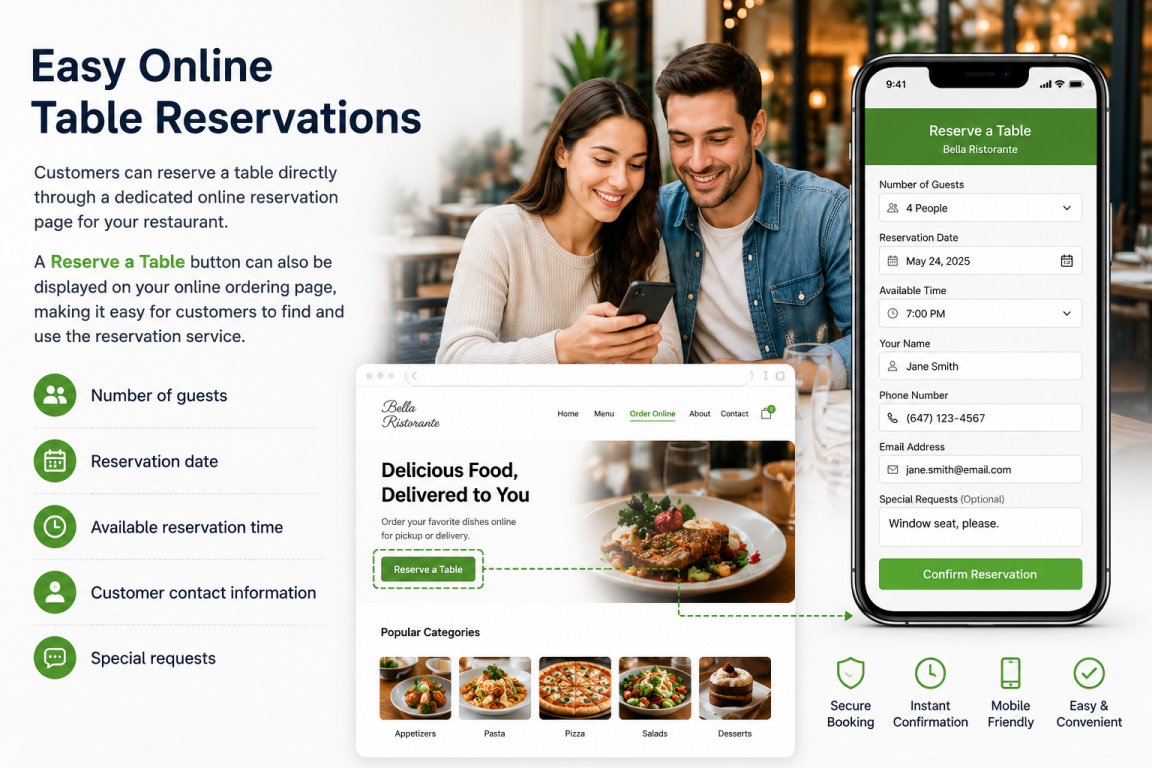
Easy Online Table Reservations
Customers can reserve a table directly through a dedicated online reservation page for your restaurant.
A Reserve a Table button can also be displayed on your online ordering page, making it easy for customers to find and use the reservation service.
- Number of guests
- Reservation date
- Available reservation time
- Customer contact information
- Special requests
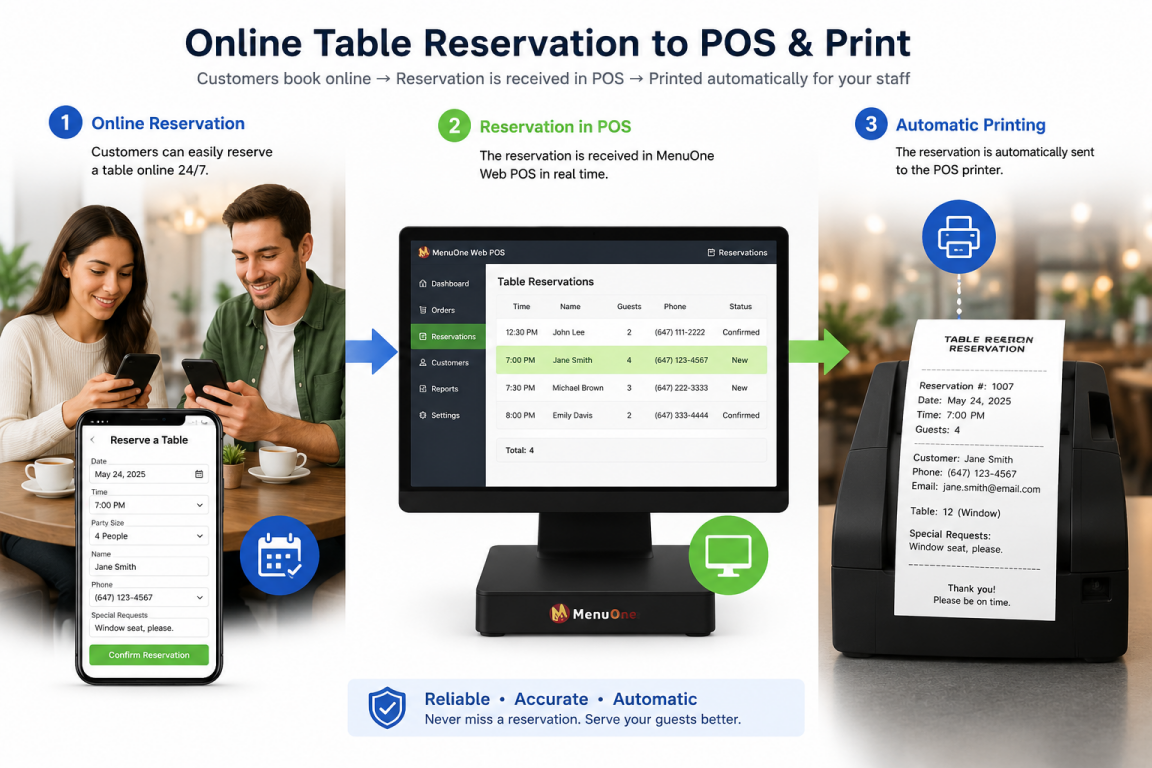
Reservations Print Automatically
When a new online reservation is received, MenuOne can automatically send the reservation to your restaurant's Main Printer through Web POS.
Your staff does not have to rely only on email or constantly check another device to discover a new reservation.
- Reservation number
- Reservation date and time
- Number of guests
- Customer name and contact information
- Table information
- Special requests
- Reservation status
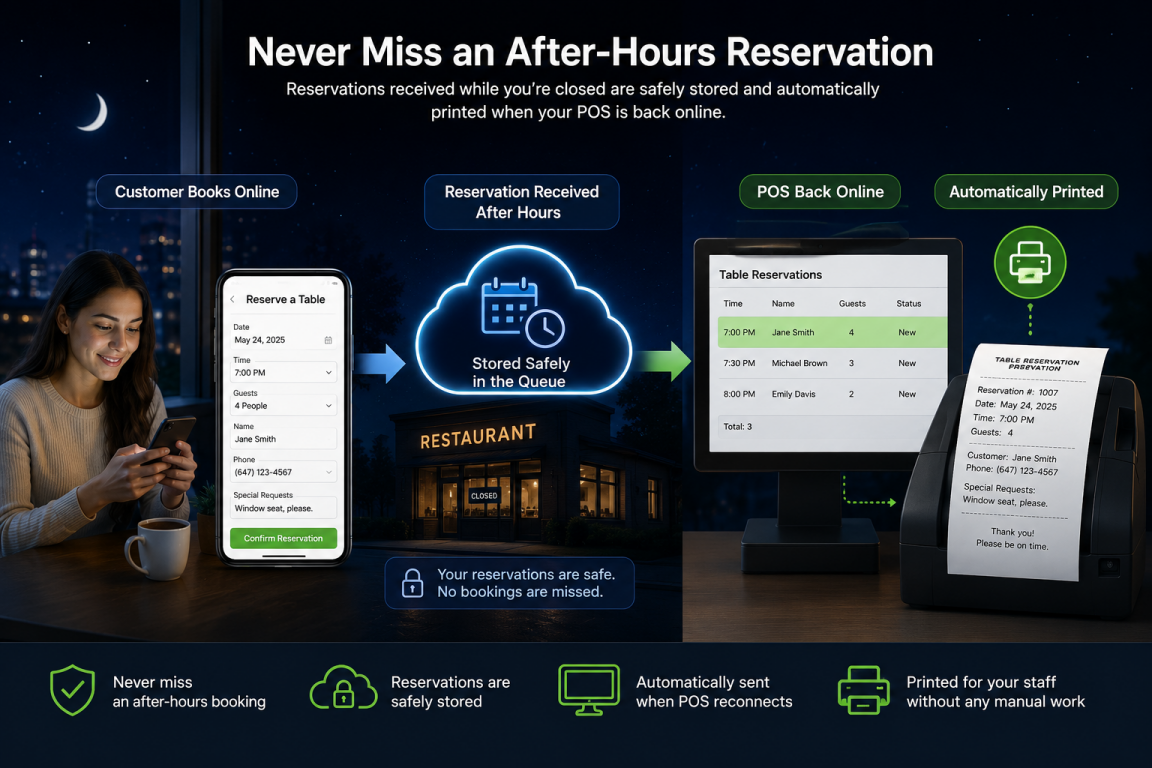
Never Miss an After-Hours Reservation
Your restaurant does not need to keep the computer or printer running all night to receive reservations.
Reservations received while the computer, Web POS, or printer is turned off remain safely stored in the print queue.
When Web POS is opened again, pending reservations are automatically sent to the Main Printer.
- Accept reservations 24/7
- After-hours reservations remain safely queued
- Automatic printing when Web POS reconnects
- Reduce the risk of missed reservations
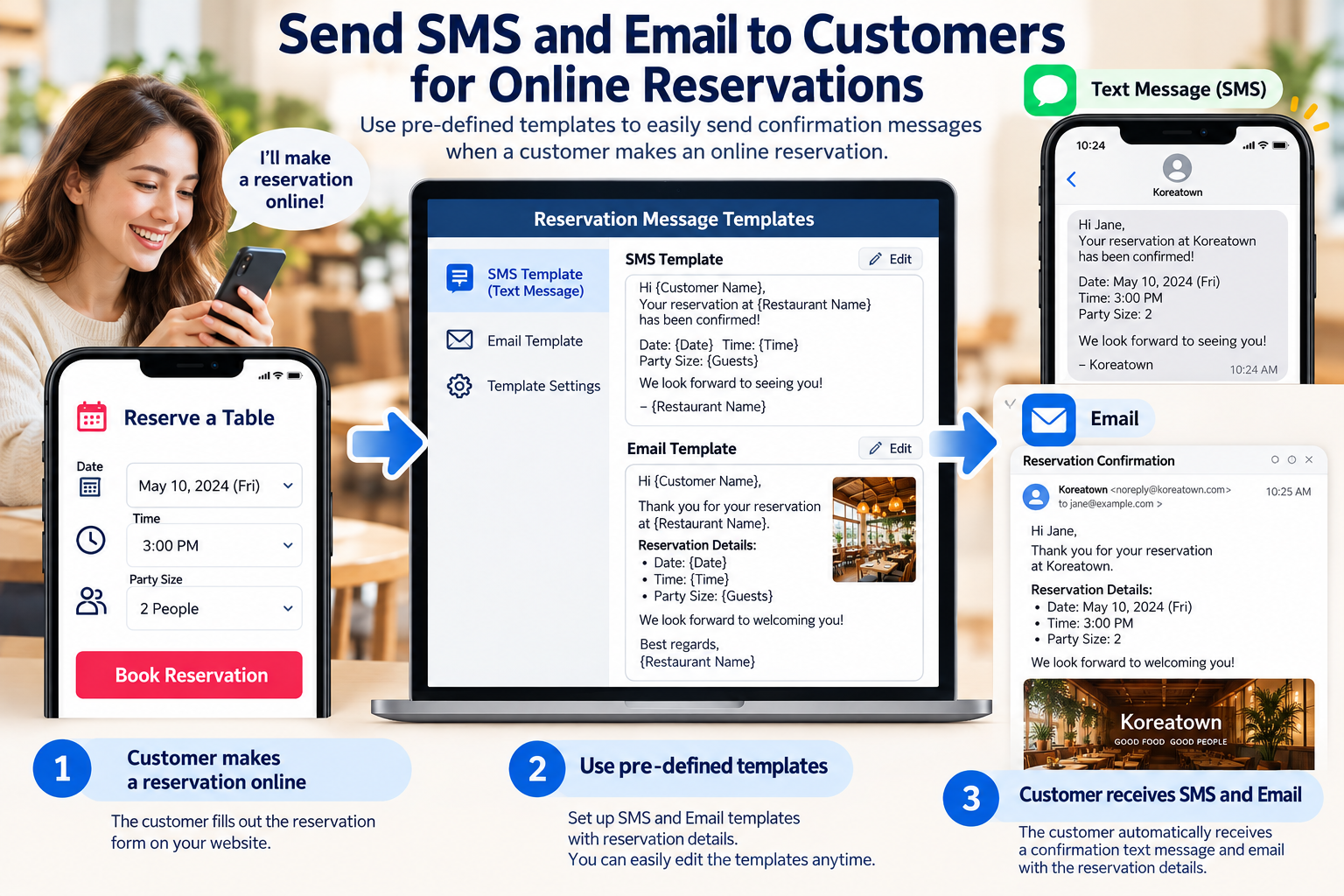
Easy Reservation Communication with SMS & Email
When a customer makes an online reservation, your restaurant can quickly communicate with the customer using prepared SMS and email templates.
There is no need to type the same message every time. Simply select a prepared template and send reservation information to the customer quickly and consistently.
- Save time with ready-made message templates
- Send reservation confirmations quickly
- Communicate by SMS or email
- Reduce mistakes with consistent messages
- Include reservation date, time, and party size
- Create templates for confirmations, changes, and cancellations
Fast and clear communication helps customers know that their reservation has been received and properly handled by your restaurant.
Table Reservation Features
Practical reservation tools designed to make booking management easier and more reliable for your restaurant.
24/7 Online Booking
Customers can submit reservations online even when your restaurant is closed.
Automatic Printing
New reservations can automatically print through your restaurant's Main Printer.
Offline Print Queue
Reservations received while Web POS is offline remain safely queued for printing later.
Print & Reprint
Restaurant staff can print or reprint reservation details whenever another copy is needed.
Duplicate Print Protection
Built-in safeguards help prevent accidental duplicate printing of the same reservation.
Restaurant-Level Control
Online reservation service can be enabled or disabled individually according to each restaurant's needs.
Why Restaurants Benefit
MenuOne helps turn online reservations into a simple part of your restaurant's daily workflow.
Reduce Missed Reservations
Automatic printing makes new reservations visible to restaurant staff without depending only on email.
Less Manual Work
Customer reservation information is already stored and organized for your staff.
Easy for Customers
Customers can make a reservation conveniently from their smartphone, tablet, or computer.
Easy Reprinting
Print another copy of a reservation whenever your restaurant staff needs one.
Organized Reservation Records
Keep reservation records organized separately from POS food orders while using the MenuOne platform.
Better Restaurant Workflow
Connect online booking, reservation management, Web POS, and printing in one restaurant system.
From Online Booking to Automatic Printing
MenuOne provides a complete reservation workflow — from the customer's online booking to automatic printing at your restaurant.
Contact Us