
MenuOnePOS Owner Hub
Help Center
This page is available in two languages: English (EN) and Korean (KR). English categories begin with “EN,” and Korean categories begin with “KR.”
이 페이지는 영어(EN)와 한국어(KR) 두 가지 언어로 제공됩니다. 영어 카테고리는 EN으로, 한국어 카테고리는 KR로 시작합니다.
Owner Guide Center
MenuOnePOS Owner Hub
-
Read More
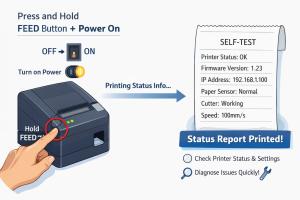
Printing Setup Guide: Checking POS Printer Status for MenuOnePOS
To enable printing from various MenuOnePOS applications, the POS printer information must be correctly configured. By knowing the printer’s details, you can set up printing for different functions such as order management, receipt printing, ...CategoryPrinter-EN Views43742 -
Read MoreNo Image
How to Check the Wi‑Fi Network Name (SSID) on an Android Tablet
📡 How to Check the Wi‑Fi Network Name (SSID) on an Android Mobile and Tablet Checking the Wi‑Fi network name on an Android tablet is simple, though menu labels may vary slightly depending on the device manufacturer or Android version. Follo...CategoryPrinter-EN Views1414 -
Read MoreNo Image
How to Connect Your Existing Ethernet POS Printer to Our App
How to Connect Your Existing Ethernet POS Printer to Our App If you already have an Ethernet POS printer installed in your restaurant, you can easily connect it to our app by following the steps below. Even if you don’t know your router’s lo...CategoryPrinter-EN Views1506 -
Read MoreNo Image
Network (IP) Thermal Printer Setup for Owner App
In the MenuOnePos.com Owner App, IP printer setup works without a computer. As long as the Ethernet printer and the tablet or mobile phone are connected to the same network, the printer can be used immediately. To set up the Ethernet POS Pri...CategoryPrinter-EN Views1404 -
Read MoreNo Image
Bluetooth Printer Setup Guide for Owner App
Are you already using a POS Bluetooth printer? If you already have a Bluetooth printer in use, you can connect it to our system without purchasing a new one. This allows you to continue using your existing printer, making it a more economica...CategoryPrinter-EN Views1450