Skip to menu

MenuOnePOS Owner Hub

Help Center

This page is available in two languages: English (EN) and Korean (KR). English categories begin with “EN,” and Korean categories begin with “KR.”

이 페이지는 영어(EN)와 한국어(KR) 두 가지 언어로 제공됩니다. 영어 카테고리는 EN으로, 한국어 카테고리는 KR로 시작합니다.


POS-EN
2026.05.07 02:44

How to Update Item Prices (Video Guide)

Views 47 Votes 0 Comment 0
?

Shortcut

PrevPrev Article

NextNext Article

Larger Font Smaller Font Up Down Go comment Print Attachment
?

Shortcut

PrevPrev Article

NextNext Article

Larger Font Smaller Font Up Down Go comment Print Attachment

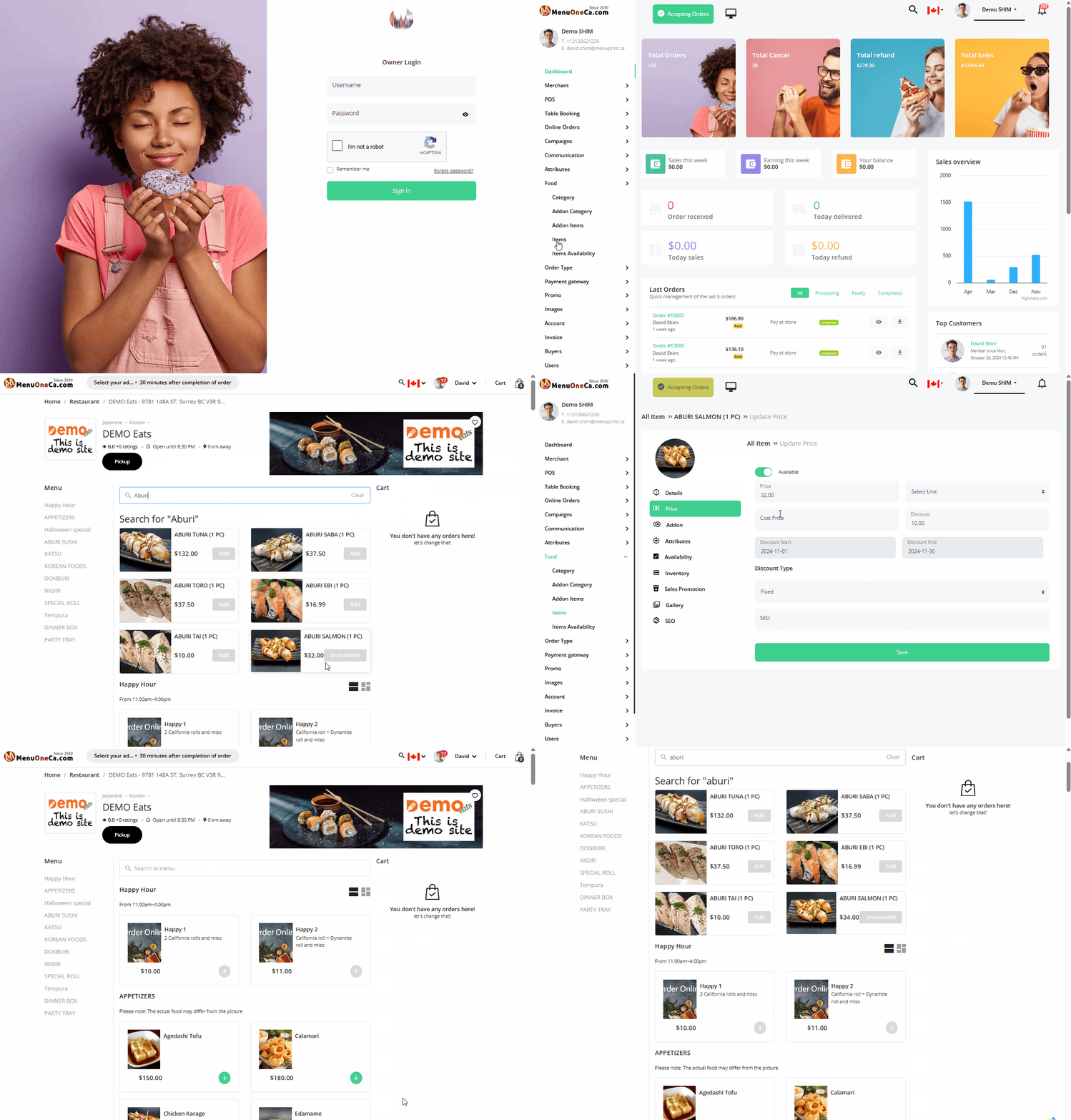
EditPrice-5.gif


  • Log in as the owner.
  • From the left menu, select Food/Items.
  • Then edit the price

You can experience it yourself on our demo site. Just click the WhatsApp button at the bottom right to reach us.


Owner Guide Center

MenuOnePOS Owner Hub

  1. How to Update Item Prices (Video Guide)

    Log in as the owner. From the left menu, select Food/Items. Then edit the price You can experience it yourself on our demo site. Just click the WhatsApp button at the bottom right to reach us.
    CategoryPOS-EN Views47
    Read More
Board Pagination Prev 1 Next
/ 1
SCROLL TOP