
1. Overview
Bridge Service
The Bridge Service connects your existing computer‑based POS with an online ordering system. It is ideal for restaurants that want to keep their current POS while simply adding online ordering capabilities.
MenuOnePOS
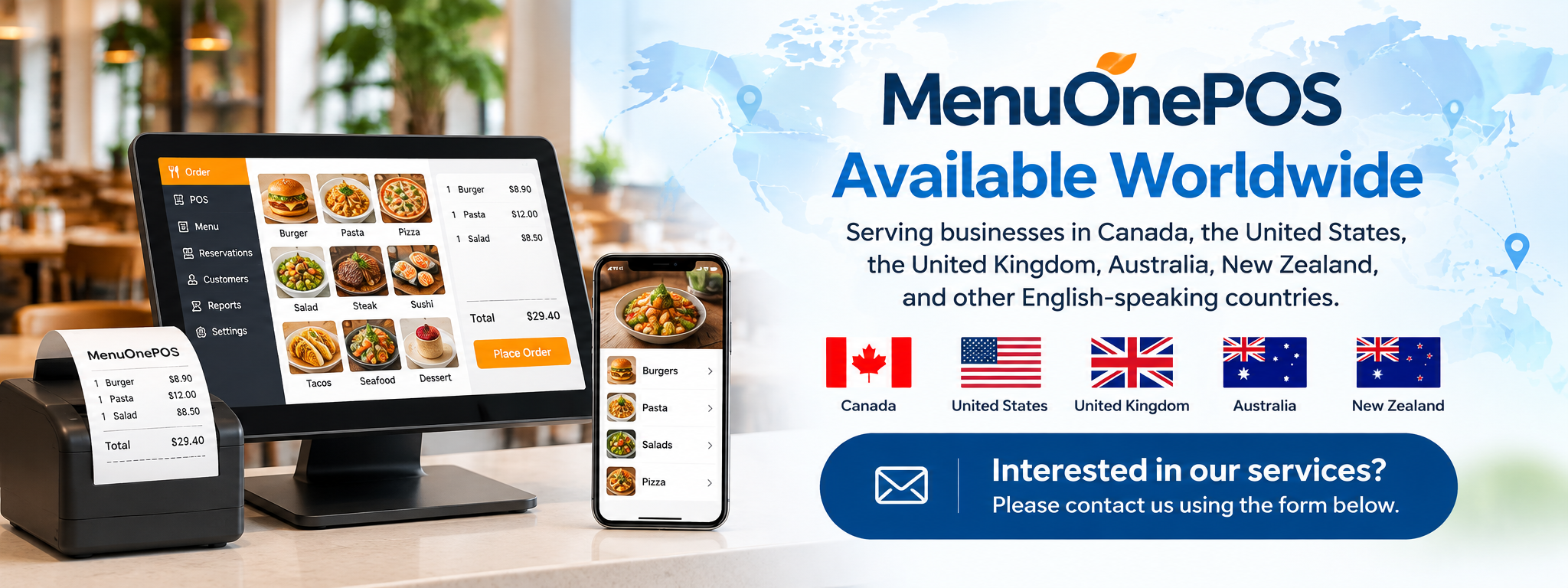
MenuOnePOS is a tablet‑based POS where the POS system and online ordering platform are fully integrated into one unified solution. Orders, menus, inventory, and reports are all managed within a single system.
2. Key Differences
A. System Structure
Service — Connecting Two Separate Systems
-
Keeps the existing computer POS
-
Online ordering runs on a separate system
-
A bridge transfers data between the two systems
MenuOnePOS — Fully Integrated System
-
Tablet POS includes built‑in online ordering
-
Menu, pricing, options, and order flow are fully unified
B. Installation & OperationaBridge l Convenience
Bridge Service
-
Allows you to keep your current POS
-
Installation is relatively simple
-
However, POS updates, Windows version issues, and aging hardware can cause compatibility problems with the bridge
MenuOnePOS
-
Very easy installation due to tablet‑based hardware
-
No Windows updates or hardware aging issues
-
All functions run within one system, reducing maintenance workload
C. Cost Structure
Bridge Service
-
Existing POS remains in use
-
Requires online ordering system fees + bridge integration fees
-
Initial cost is low, but long‑term costs accumulate due to old POS maintenance, repairs, and updates
MenuOnePOS
-
Tablet‑based, significantly reducing hardware costs compared to computer POS
-
No PC tower, monitor, or Windows OS update expenses
-
Highly cost‑efficient in the long run
D. Hardware Aging & OS Issues
Bridge Service (Using Existing POS)
-
Many restaurants still use outdated OS versions like Windows 7 or Windows 10
-
End‑of‑support OS leads to security vulnerabilities
-
Aging hardware causes slow performance and higher failure risk
-
Compatibility issues may occur when connecting through a bridge
MenuOnePOS (Tablet‑Based)
-
OS updates are automatically supported
-
Lightweight hardware with low replacement cost
-
Eliminates all problems caused by old computer POS systems
-
Maintains stable performance and speed over time
E. Menu & Price Management
Bridge Service
-
POS menus and online menus may need to be managed separately
-
Even with auto‑sync, limitations may occur depending on the POS structure
MenuOnePOS
-
Enter menu, price, and options once, and they sync instantly to both POS and online ordering
-
Simplest management with fewer errors
F. Suitable Restaurant Types
Bridge Service is suitable for:
-
Restaurants that want to keep their existing POS
-
Franchise stores where POS replacement is difficult
-
Restaurants that want to quickly add online ordering
MenuOnePOS is suitable for:
-
Restaurants wanting to manage POS and online ordering in one unified system
-
Restaurants with high delivery or pickup order volume
-
Restaurants wanting to replace old computer POS hardware or reduce costs
-
Restaurants with frequent menu changes and a need for efficient management
-
New restaurants (grand openings)
-
Tablet‑based POS significantly reduces initial hardware costs
-
No PC tower, monitor, or Windows update expenses
-
Built‑in online ordering enables immediate launch of delivery/pickup services
-
Menu, price, and options only need to be entered once for both POS and online ordering
-
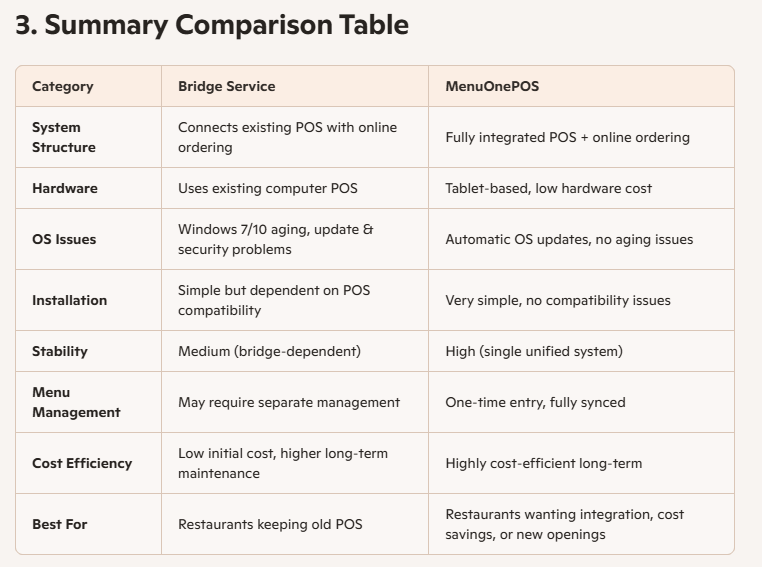
 Bridge Service vs. MenuOnePOS 비교 안내