This page is available in two languages: English (EN) and Korean (KR). English categories begin with “EN,” and Korean categories begin with “KR.”
이 페이지는 영어(EN)와 한국어(KR) 두 가지 언어로 제공됩니다. 영어 카테고리는 EN으로, 한국어 카테고리는 KR로 시작합니다.
Views 49108 Votes 0 Comment 0
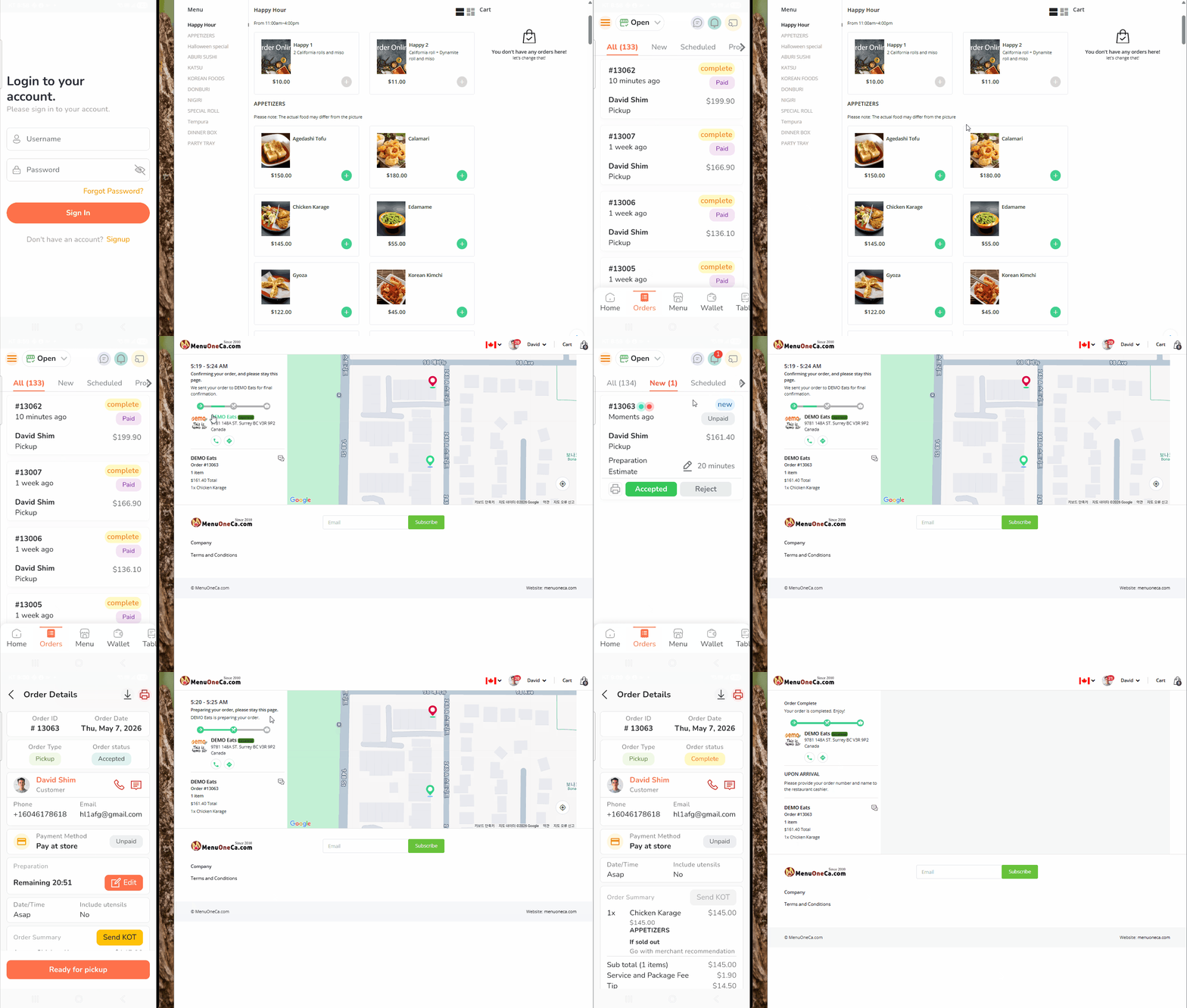
- This video demonstrates how to check incoming orders using the Owner App.
- The left side of the screen shows the Android tablet or mobile phone running the Owner App.
- The right side displays the customer ordering process in real time.
- When a customer places an order, the POS printer automatically prints the order details without any manual action.
TAG •
- OwnerApp,
- OrderCheck,
- POSSystem,
- RestaurantPOS,
- OrderDemo,
- FoodOrder,
- AutoPrint,
- POSPrinter,
- RestaurantManagement,
- OnlineOrdering,
- OrderNotification,
- KitchenPrinter,
- AndroidApp,
- MobileOrdering,
- OrderWorkflow,
- Owner App,
- Order Check,
- POS System,
- Restaurant POS,
- Online Ordering,
- Customer Order Demo,
- Auto Print,
- POS Printer,
- Order Notification,
- Restaurant Management,
- Android Tablet,
- Mobile App,
- Food Ordering System,
- Order Workflow,
- Real-time Order Printing,


 Printing Setup Guide: Checking POS Printer Status for MenuOnePOS