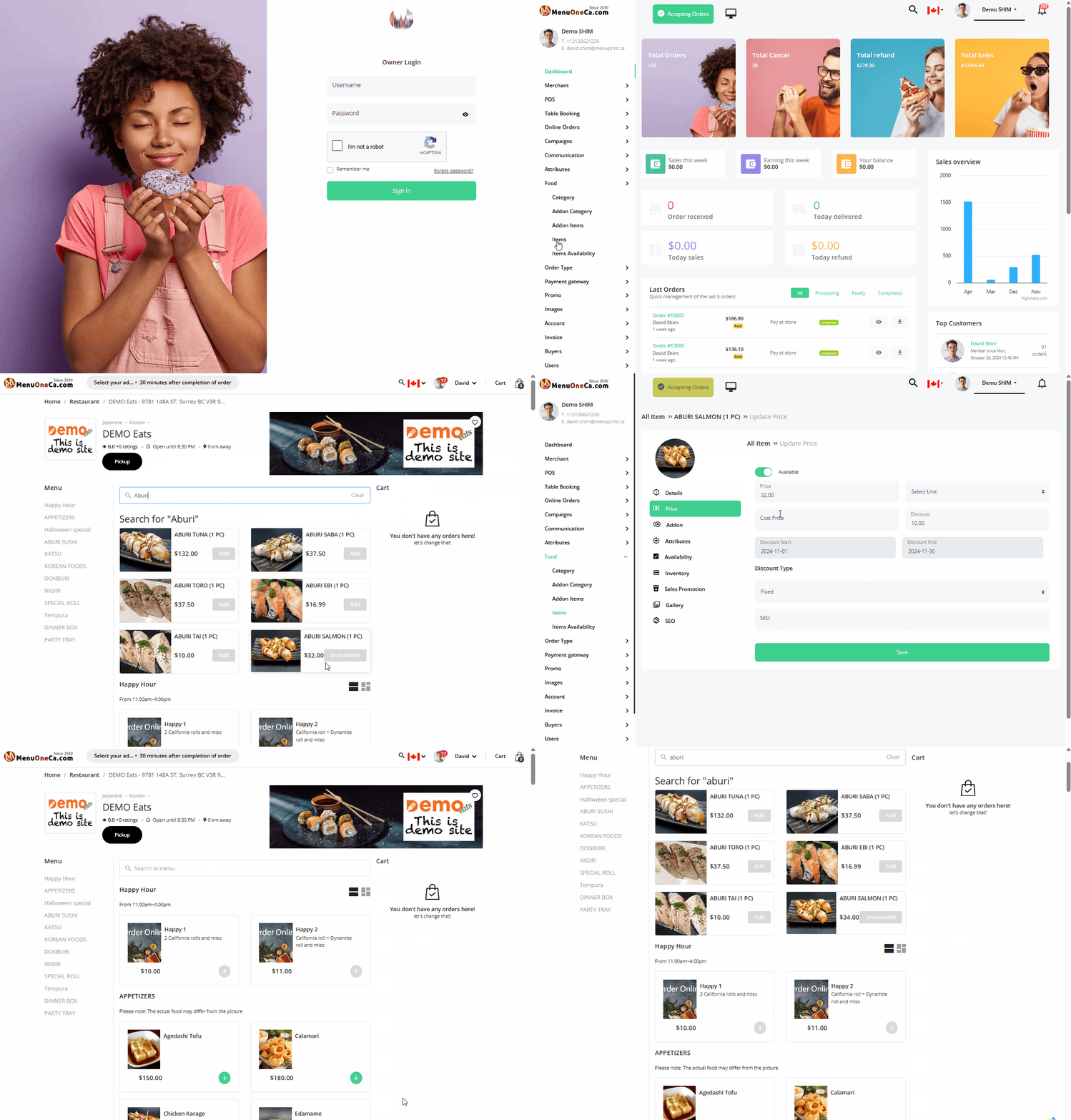
- Log in as the owner.
- From the left menu, select Food/Items.
- Then edit the price
You can experience it yourself on our demo site. Just click the WhatsApp button at the bottom right to reach us.


MenuOnePOS Owner Hub
이 페이지는 영어(EN)와 한국어(KR) 두 가지 언어로 제공됩니다. 영어 카테고리는 EN으로, 한국어 카테고리는 KR로 시작합니다.
PrevPrev Article
NextNext Article
PrevPrev Article
NextNext Article
You can experience it yourself on our demo site. Just click the WhatsApp button at the bottom right to reach us.
How to download menuone POS for iPad?
How to Update Item Prices (Video Guide)