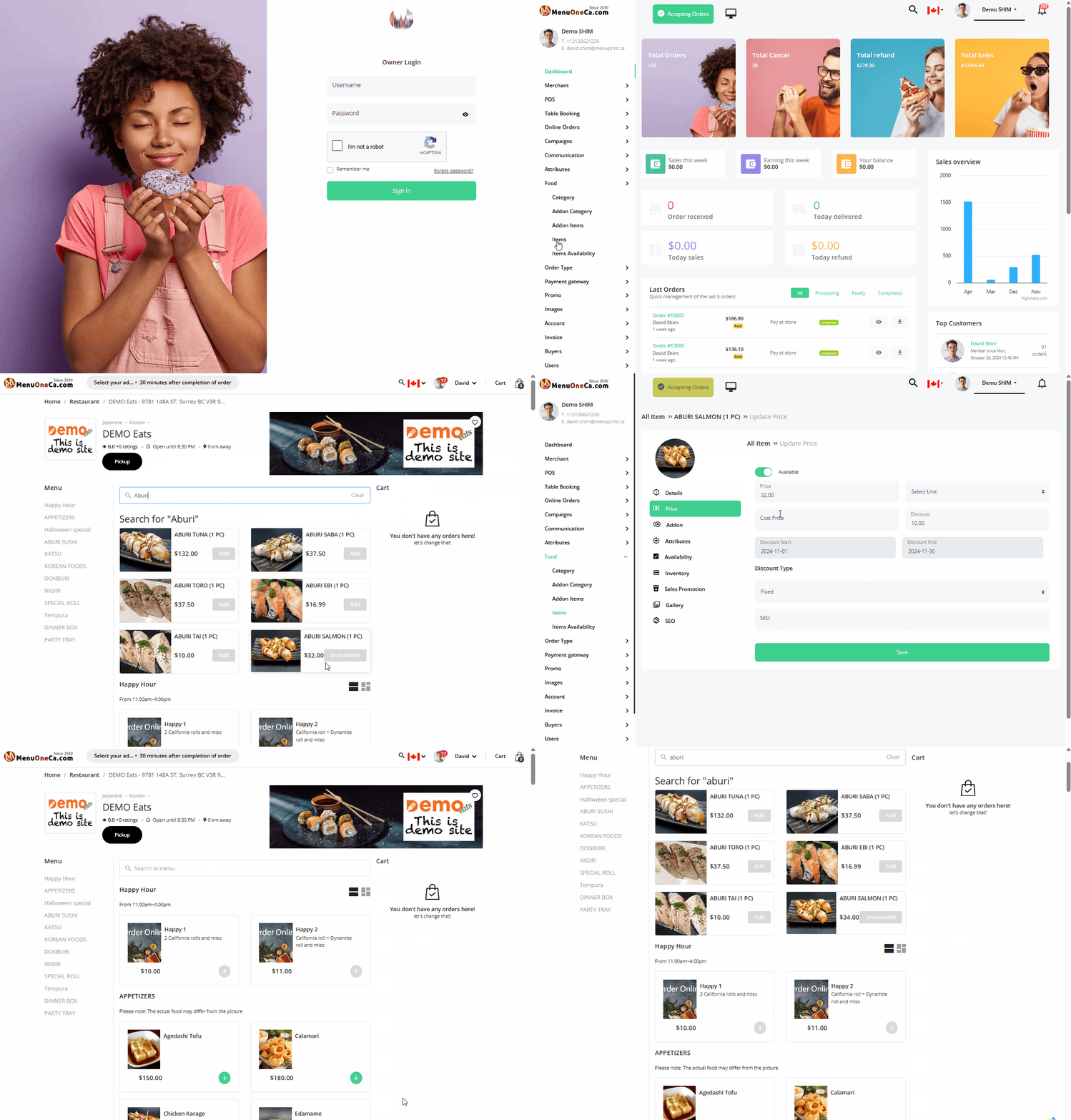
- Log in as the owner.
- From the left menu, select Food/Items.
- Then edit the price
You can experience it yourself on our demo site. Just click the WhatsApp button at the bottom right to reach us.
PrevPrev Article
NextNext Article
ESCClose
You can experience it yourself on our demo site. Just click the WhatsApp button at the bottom right to reach us.